Convert Excel to SQL FAQ
Answers to common questions when you convert Excel to SQL: formats, mapping matrix, database dialects, NULL handling, and execution tips.
Screenshots
Main UI screenshots for each configuration area.
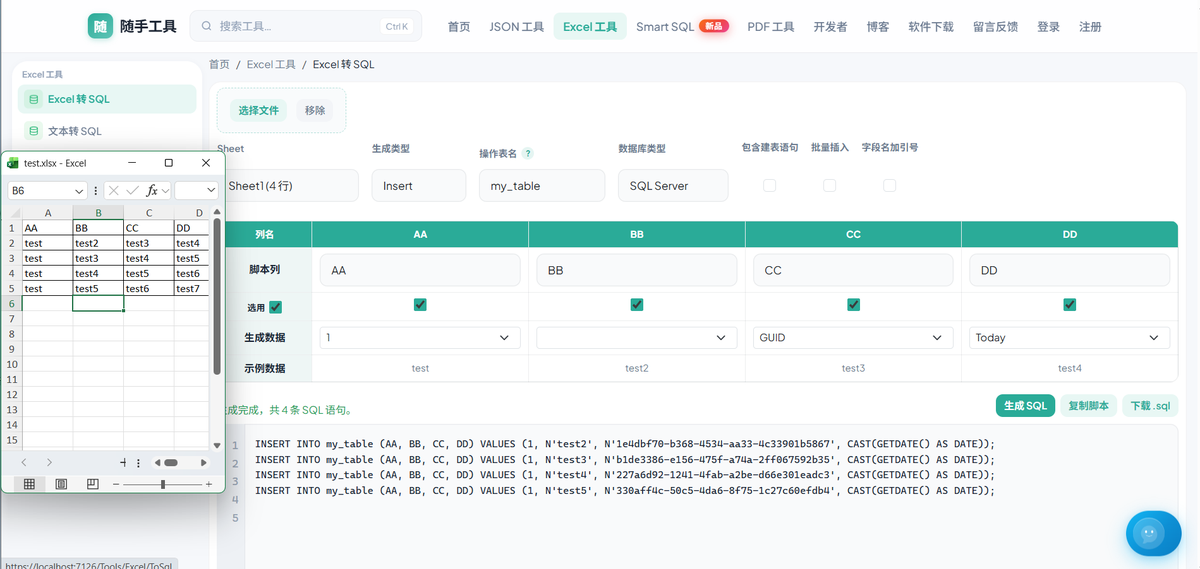
QHow do I convert Excel to SQL online?
Open the Excel to SQL tool → upload .xlsx or .csv → choose statement type and database → map columns → Generate SQL → copy or download .sql. Free, no signup.
QWhich Excel and CSV formats are supported?
.xlsx, .xlsm, .xltx, .xltm, .csv supported. No legacy .xls. Duplicate headers get _2, _3 suffixes.
QCan I choose a specific worksheet?
Use the Sheet dropdown in the top bar for multi-sheet workbooks.
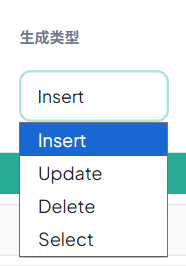
QHow do INSERT, UPDATE, DELETE, SELECT work?
INSERT: Include columns, optional batch. UPDATE: SET vs WHERE, mutually exclusive. DELETE: WHERE columns. SELECT: output columns + one WHERE IN column.
QWhat top-bar options are available?
Table name (dbo.Users or #temp), database type, CREATE TABLE, batch insert, quoted identifiers. Tooltip on table name explains # temp tables.
QHow does the mapping matrix work? Can I drag columns?
Script column, Include, Generate data, WHERE rows. Drag header left/right to reorder, down to delete, resize on the right. Row labels stay fixed.
QGenerate data, NULL, and empty cells?
Empty / NULL text → SQL NULL. Generate data 1/0 → numeric literals; GUID / Today → expressions.
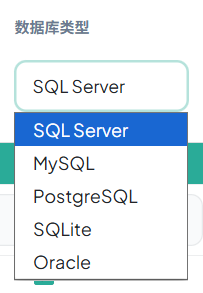
QWhich databases are supported? Is my data safe?
SQL Server, MySQL, PostgreSQL, SQLite, Oracle. Files are uploaded for parsing only and deleted after processing. Download .sql for large outputs (~500+ preview lines).