Cursor Watcher — Multi-Agent Manager for Cursor
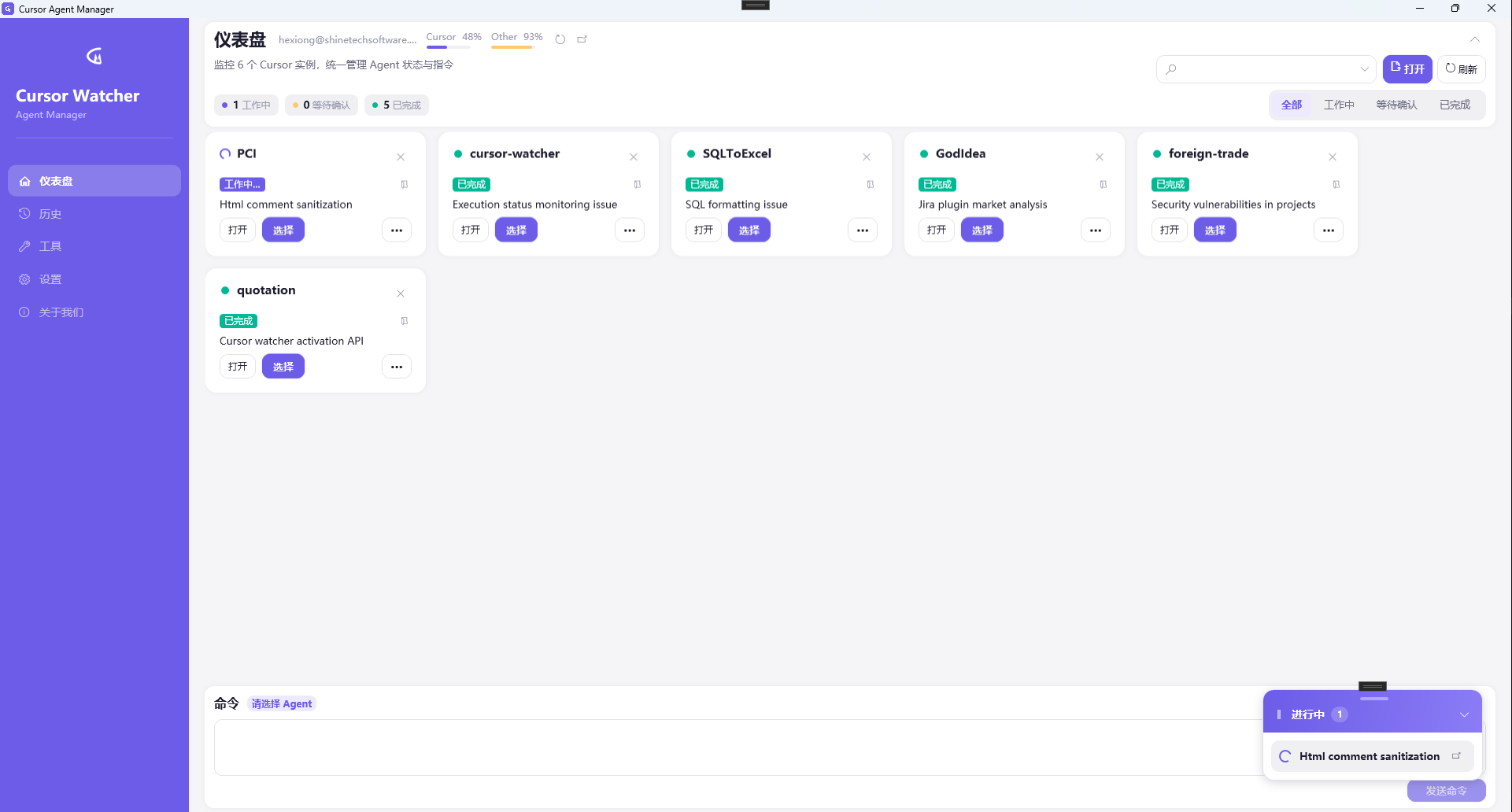
Cursor Watcher auto-discovers running Cursor instances on Windows, shows Agent status by project, lets you send the next task from a command panel, and notifies you when work finishes.
Cursor Watcher
Run multiple Cursor Agents — see status, send commands, get notified in one window
Cursor Watcher auto-discovers running Cursor instances on Windows, shows Agent status by project, lets you send the next task from a command panel, and notifies you when work finishes.
Key features
Multi-instance monitoring
Auto-discover running Cursor windows and show Agent status per project: working, waiting, completed.
One-click commands
Select an Agent and send the next task from the command panel — no IDE window hopping.
Completion notifications
Windows toasts when tasks finish so you can review results while Agents run in the background.
In-progress overlay
Floating summary of ongoing chats to track progress across projects.
Usage overview
Dashboard glance at Cursor usage while you run Agents in parallel.
Tool shortcuts
Open common online tools and business systems from one place.
Quick start
- Download and install Cursor Watcher Download CursorWatcher-Setup-1.1.0.exe from GitHub Releases; Windows 10 / 11 with Chinese and English UI.
- Open Cursor projects Start one or more Cursor windows as usual; Watcher discovers instances and shows Agent status.
- Filter status and send commands Filter the dashboard, select an Agent, send tasks from the command panel, and track completion via notifications.
Download Cursor Watcher for free
Built for developers who run multiple Cursor Agents and want fewer window switches.
Download CursorWatcher-Setup-1.1.0.exe