Start with one quotation. Get five export documents.
Enter seller, buyer, terms and line items for a deal, then preview and download professional PDFs. Fixed layout, bilingual labels — no Word formatting.
- One dataset, five documents
- What you preview is the PDF
- No template designer needed
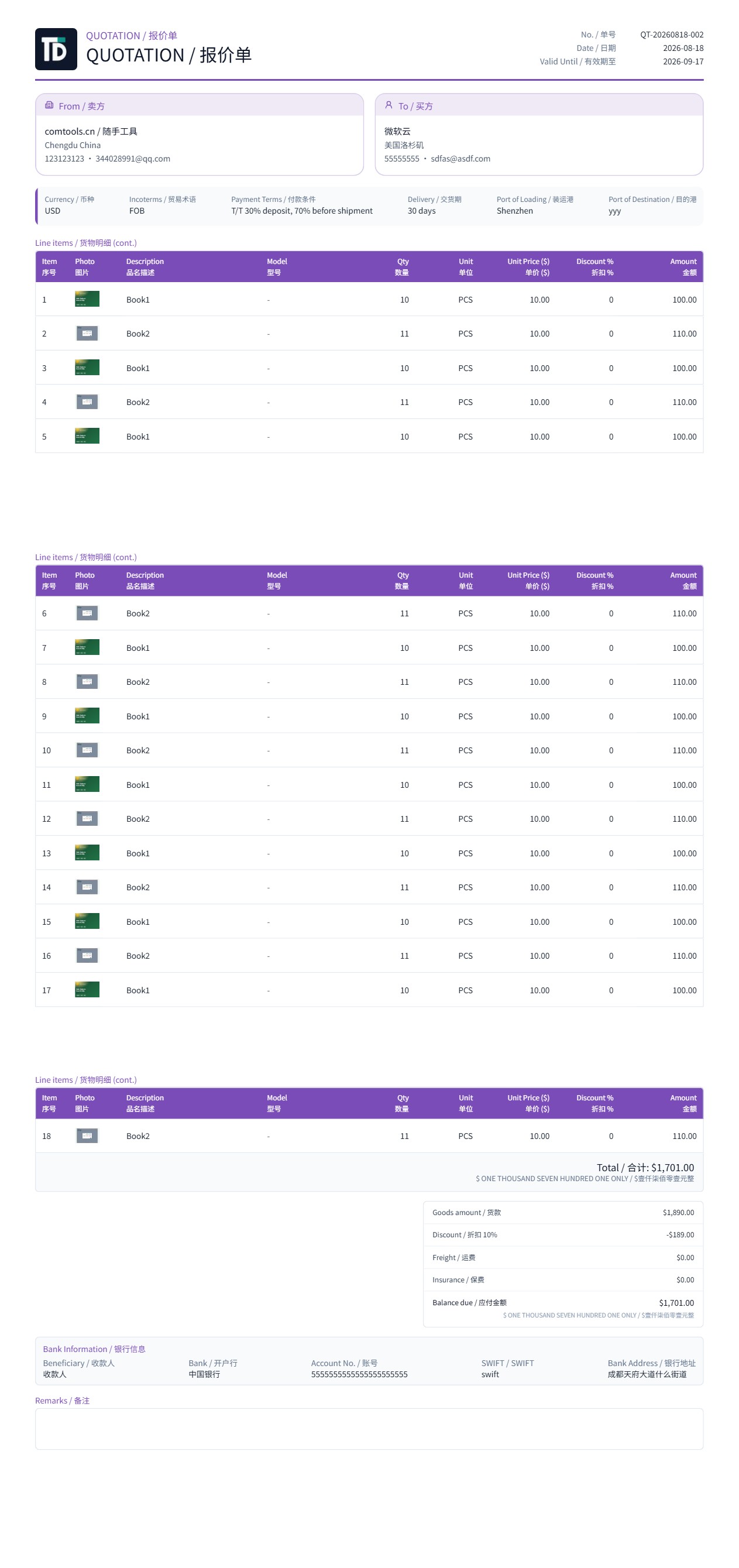
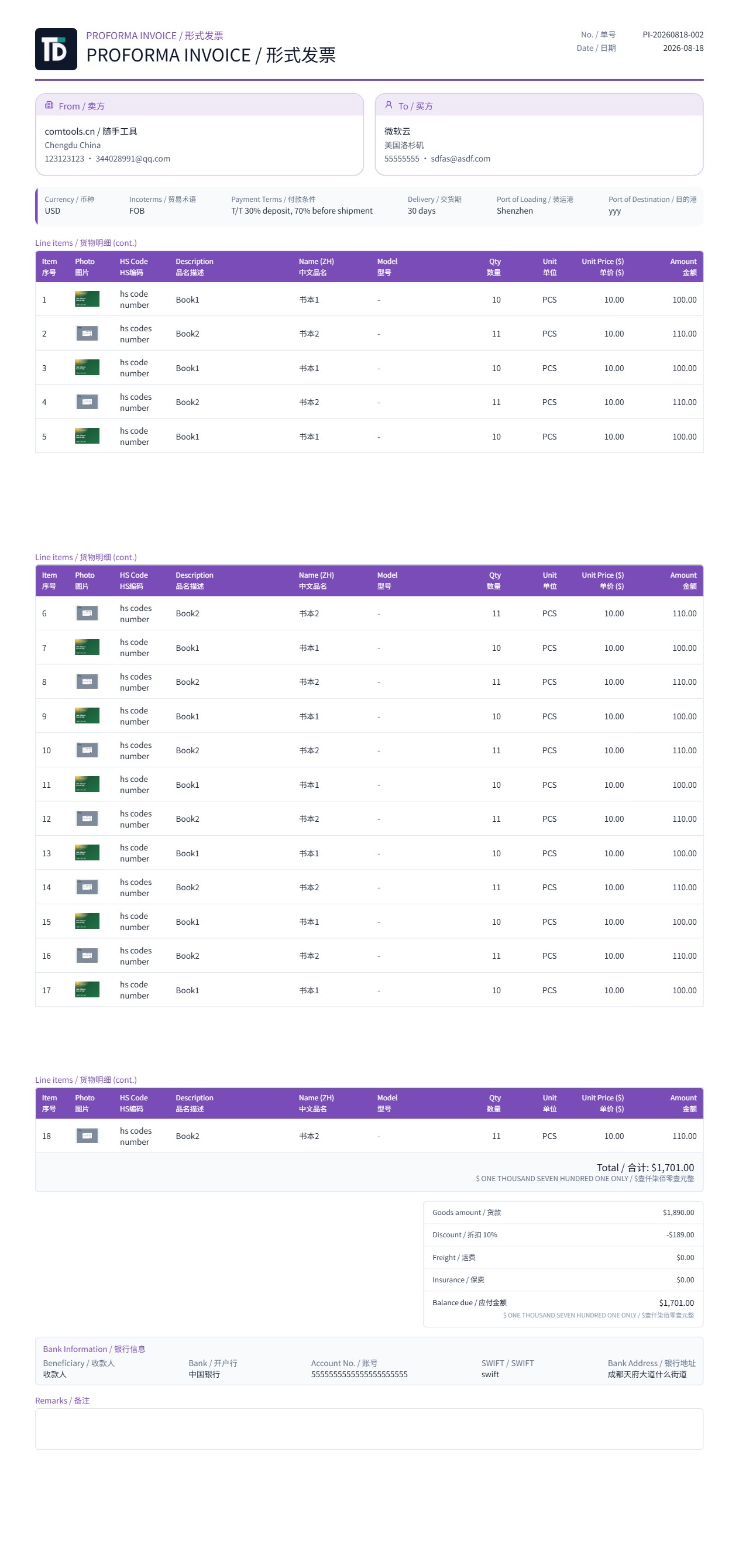
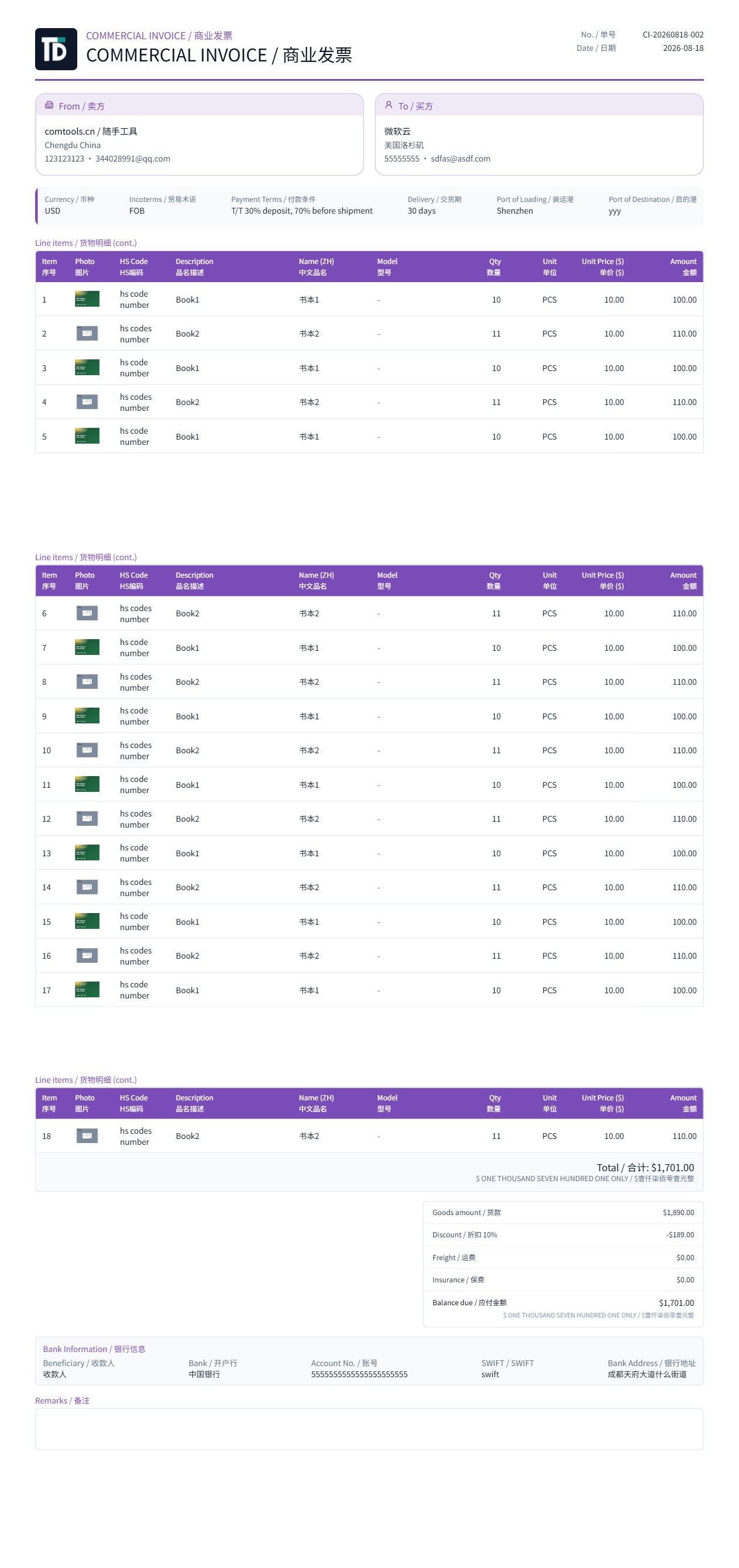
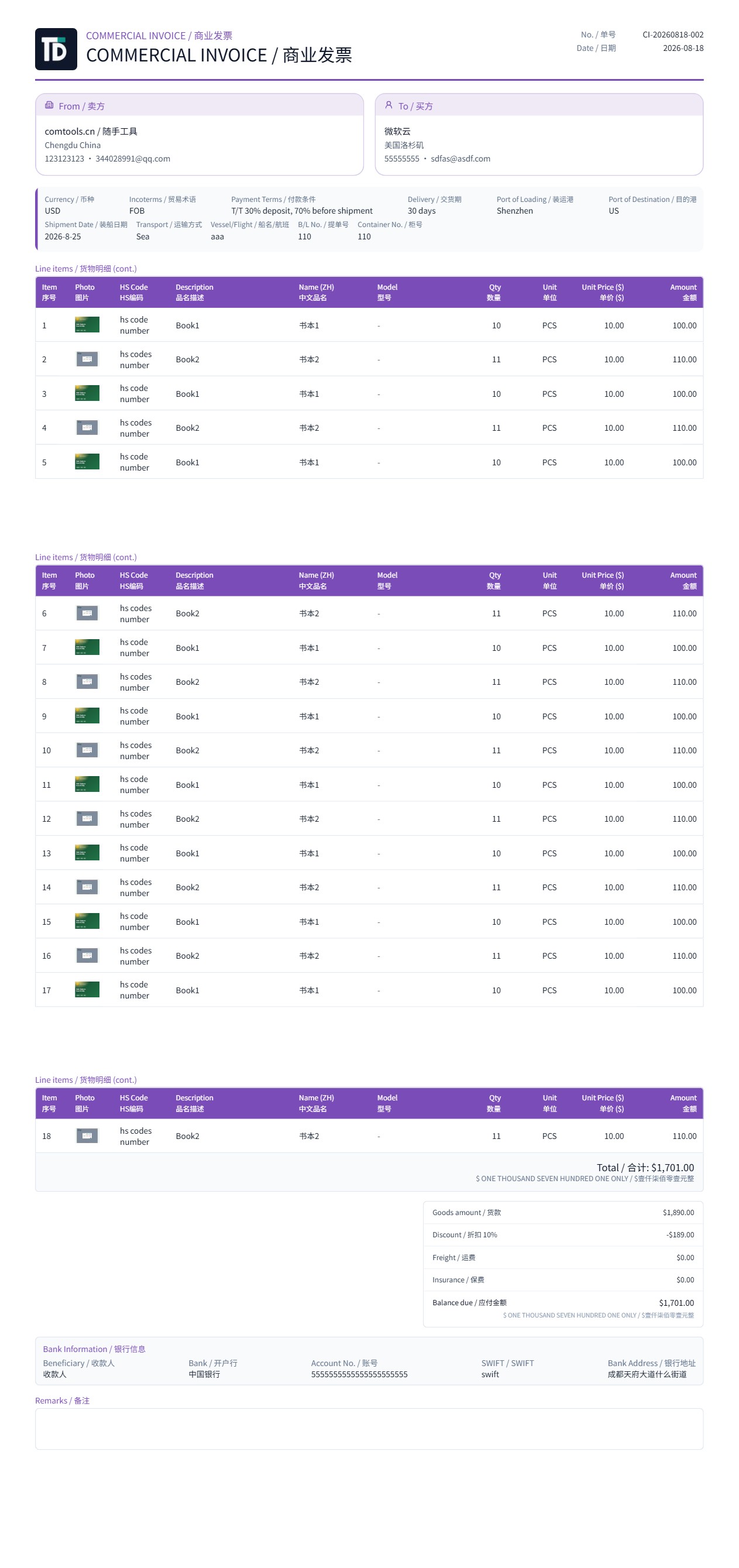
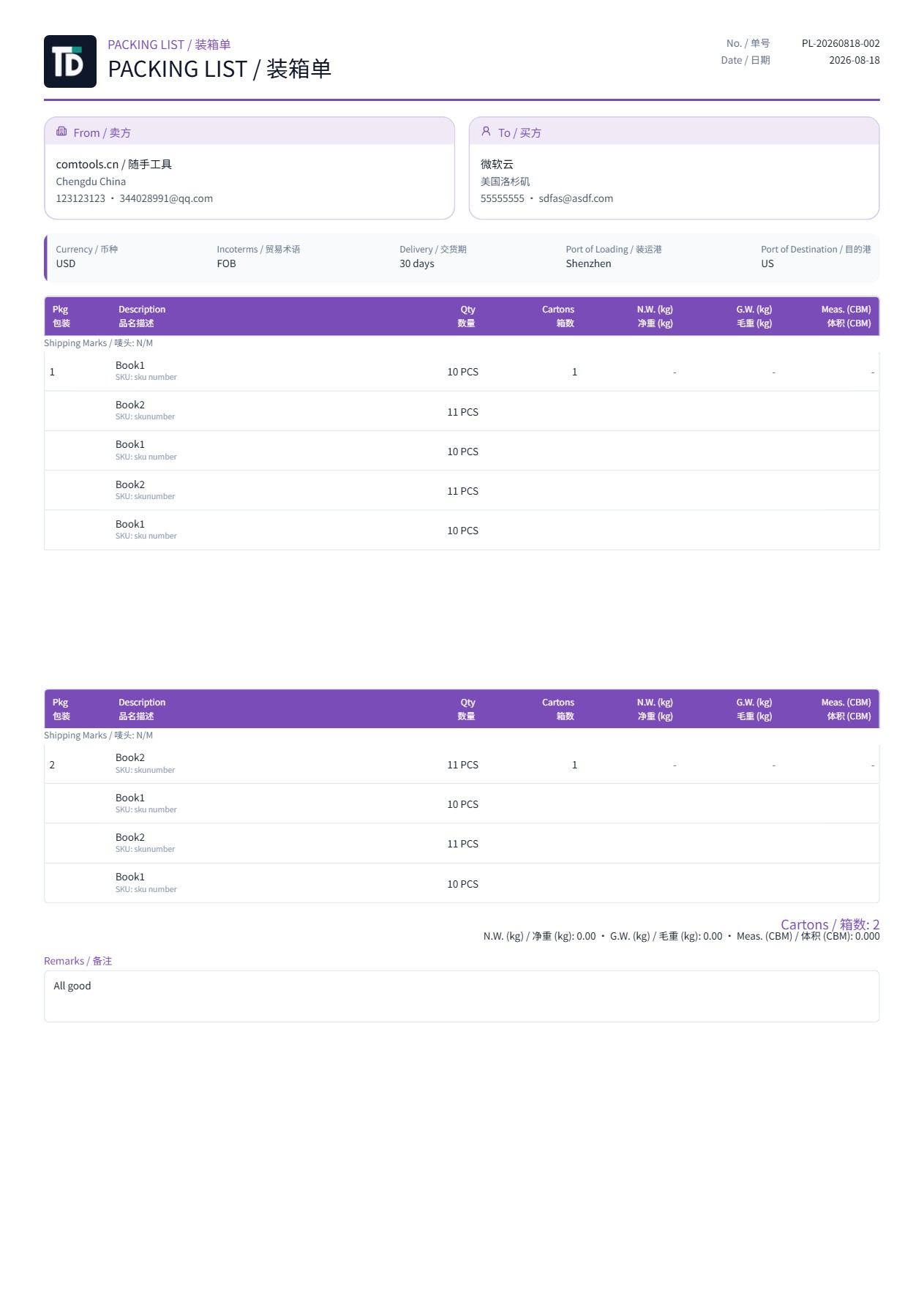
Five documents, one deal
Update the quotation and PI, contract, invoice and packing list follow. Switch types without copying letterhead or line items again.
Stop spending the afternoon on formatting
Built for export sales teams. A fixed-layout document workbench, not a generic form builder.
Quotation first
Issue a professional quotation, then generate PI, contract, commercial invoice and packing list. Clients, products and terms are entered once.
Preview is the PDF
Layout, language and theme color on screen are what you download. Check before sending — no post-export tweaks.
Bilingual labels
PDF labels default to English, with Chinese, bilingual, Spanish, French, Portuguese and Russian packs. Product names and addresses you type are not auto-translated.
Company letterhead once
Logo, English address and bank account live in company profile and appear on all five documents. Theme color can follow your brand; structure stays the same.
Three steps to your first quotation
Company profile, a deal, then preview and download. Most teams send the first PDF in minutes.
Complete company profile
Add letterhead, bank details and logo. Later documents pick them up automatically.
Pick products, create a deal
Pull lines from the catalog, then add buyer, currency, Incoterms and payment terms.
Preview and download PDF
Switch among five document types on the deal page, confirm, then send to the buyer.
Practical export-document reading
Incoterms, T/T payment, pre-shipment checks and industry scenarios — help the team standardize.
Long-tail export document pages
Intent pages for export quotation, proforma invoice, commercial invoice, packing list, sales contract, PI vs CI, and bilingual PDFs.
TradeDocs vs Quotely vs AI quote vs Word
Three quotation products on ComTools — pick by job, not by similar names.
| You need | Use |
|---|---|
| One-off service quote or freelance draft | AI quotation generator |
| Reusable templates, formulas, share links | Quote system — Quotely |
| Export QT, PI, contract, CI and packing list as one set | TradeDocs |
| Drag-and-drop Word/Excel template design | Not in TradeDocs — fixed layout keeps documents professional for overseas buyers |
Send a quotation this afternoon
Register to use all five document types — no card required. A fixed-layout export workbench, not a generic form builder.